School management system · Available worldwide
AcademIQ: Run the whole school from one record.
Admissions, attendance, exams, fees, payroll and messages to parents — in one system for a single school or a group of campuses, wherever you are. No more registers, spreadsheets and WhatsApp groups that never quite match.
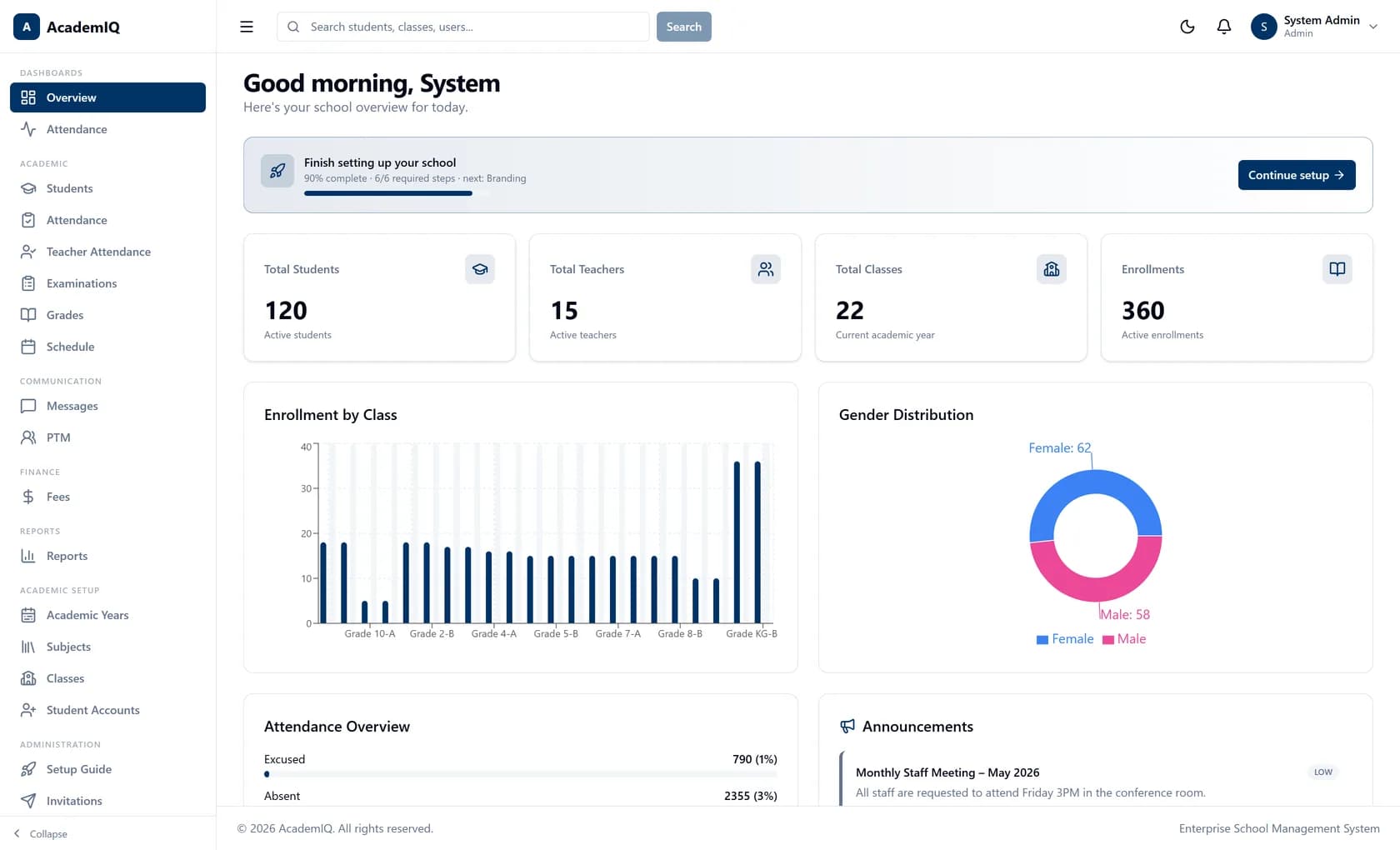
How the school is doing today, on one screen
school jobs handled in one system
kinds of user, each with their own view
record per student, admission to leaving
languages, including right-to-left Arabic
Why schools switch
The work isn’t the problem. The seams are.
Most schools already run on software — just not one piece of it. When the register, the mark sheet, the fee bill and the parent message don’t point at the same child, somebody matches them up by hand.
Showing work without AcademIQ: five separate tools.
- Attendance spreadsheetFour files, four answers
- WhatsApp groupsNothing kept on record
- A separate fees programDoesn’t know the student list
- Paper mark sheetsTyped in twice
- Month-end tallyTakes a week
See it work
Admit one student. Watch one record go everywhere.
Admitted in the morning, on the register that afternoon, in the mark sheet that term, on the fee bill that month — and visible to their parent throughout.
A new student, Ayesha Khan, is admitted to Grade 6-B.
New admission
Ayesha Khan · Grade 6-B
- Class registerPresent · 08:02
- Mark sheetMaths 87 · Position 3
- Fee billTerm 1 fee issued
- Parent’s phoneSees it all, same day
- Timetable6-B · Mon 08:00 English
Illustration with sample data.
What it does
Five jobs, one system
Pick a module to see the real screens and what it does for your team.
Exams, marks and report cards
Set the exam timetable, enter marks for a whole class at once and publish when you are ready. Positions, subject averages and report cards are worked out from the marks — nobody types the same number twice.
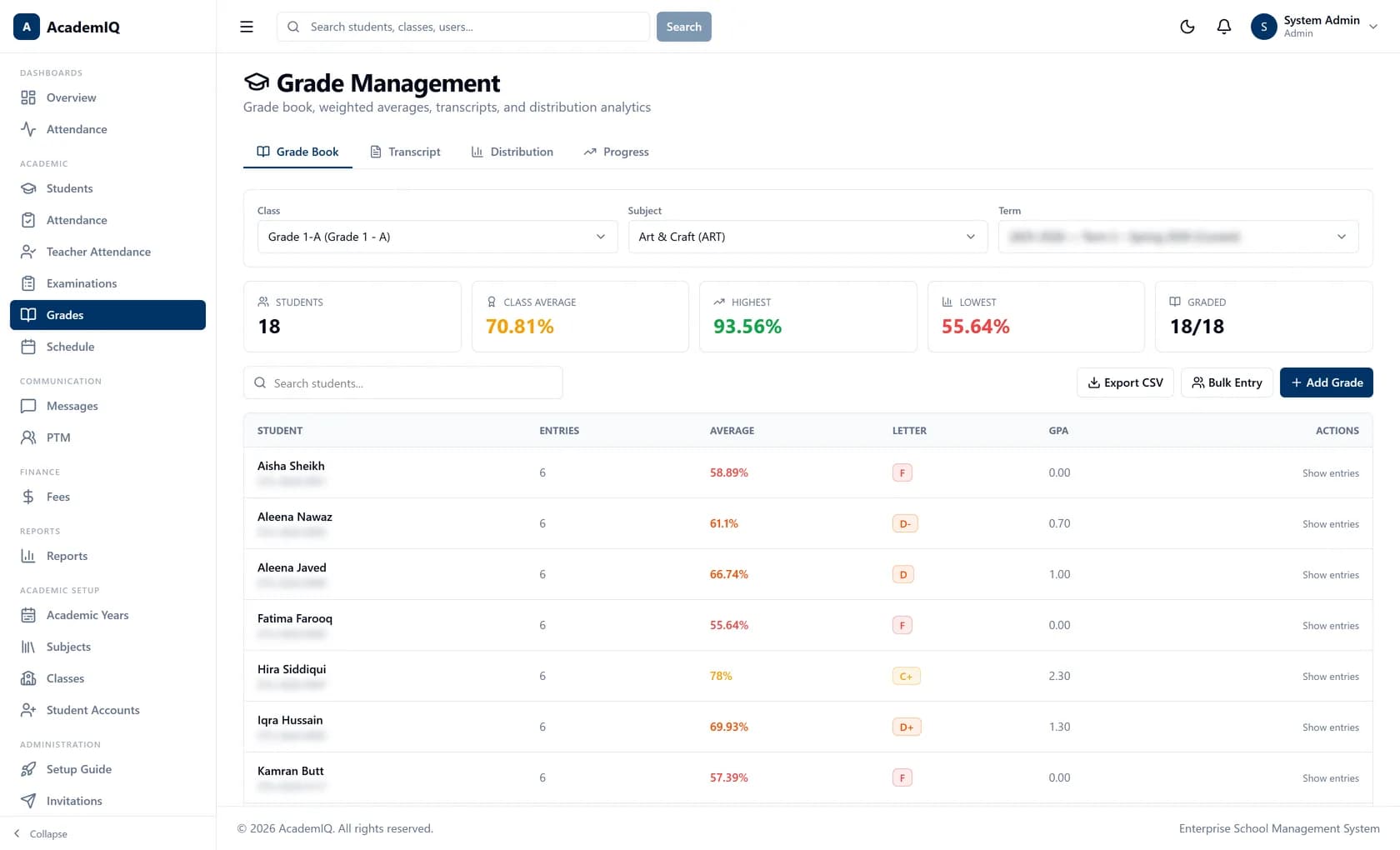
Enter marks for a whole class at once
From timetable to result
Create an exam, date each paper, enter marks, publish. Class positions and averages calculate themselves.
Tests and assignments too
Quizzes, projects and assignments each count for whatever weight you choose, on your own grading scale.
Certificates anyone can verify
Each certificate carries a code that anyone can check online — no account needed.
- Term report cards and monthly progress reports
- Your school’s own grading scale
- Online classes linked to the timetable
Attendance → parents
Mark a child absent. Their parent knows by 8:04.
Try it: tap A (absent) or L(late) next to any student. The alert goes out straight away, from your school's own account, on whichever channel the parent actually reads.
Send alerts by
Teacher · 08:02
Grade 6-B register
Monday · Period 1
- Ayesha Khan
- Daniel Okafor
- Mei Lin
- Arjun Mehta
- Sofia García
Parent
8:04
Monday
No new alerts
Illustration with sample data. In AcademIQ each parent receives alerts about their own children only.
Who it's for
Everyone in the school, not just the office
Five kinds of user. Each signs in and sees what their own job needs — nothing more, nothing less.
Principals & leaders
See how the school is doing, today.
One screen shows enrolment, this morning’s attendance and how much of this month’s fees is in — no waiting for someone to prepare a report.
- Today’s numbers, not last month’s
- All campuses in one view
- A record of who changed what
Multi-campus
One group. Genuinely separate campuses.
Each campus gets its own branding, sign-in page, fee account, email name and numbering — kept completely apart. Whoever runs the group still sees them all together.
Northfield Campus
Part of Riverside Schools Group
Sign in
to Northfield Campus
- BrandingOwn logo, colours and sign-in page
- Fee accountNorthfield · ••4471
- Emails come fromoffice@northfield.school.example
- Roll numbersNF-26-0142
Illustration with sample campuses.
Available worldwide
Built for schools anywhere in the world.
Four languages with proper right-to-left Arabic, fees in your own currency, sessions on your own calendar — and certificates that can be checked from anywhere.
Four languages — with real right-to-left
Switch the language. Arabic mirrors the whole layout, and fees follow the school's own currency.
Student profile
Attendance
96%
Average
84
Term fee
$1,250
Paid ✓
Certificates anyone can verify
Every certificate carries a code. A university or employer checks it online — no account needed. Try the sample code .
Illustration. On a live AcademIQ school the check runs against that school’s records.
A look inside
This is the actual software
Not mock-ups — real screens from the live product, with any personal details blurred or made up. Open any screen to see it full size.
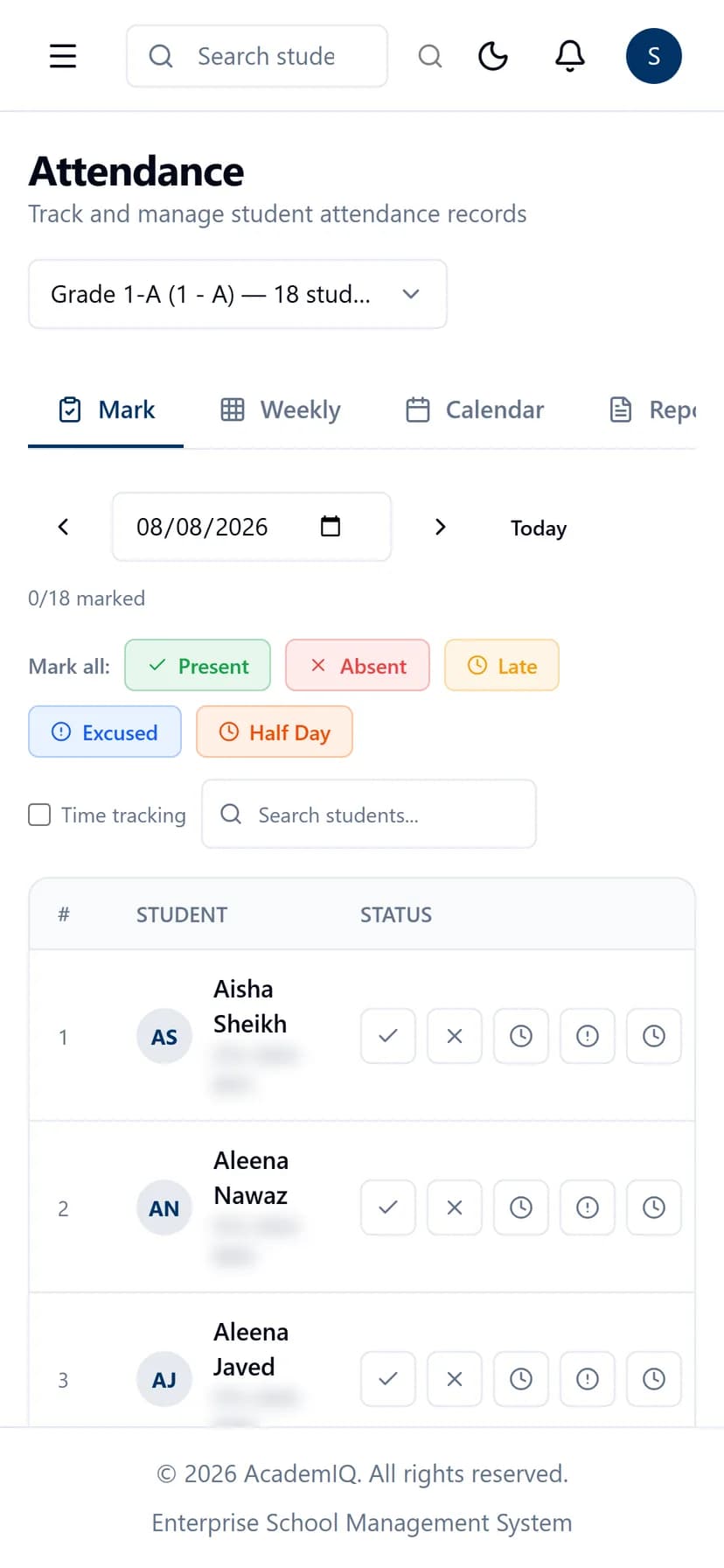
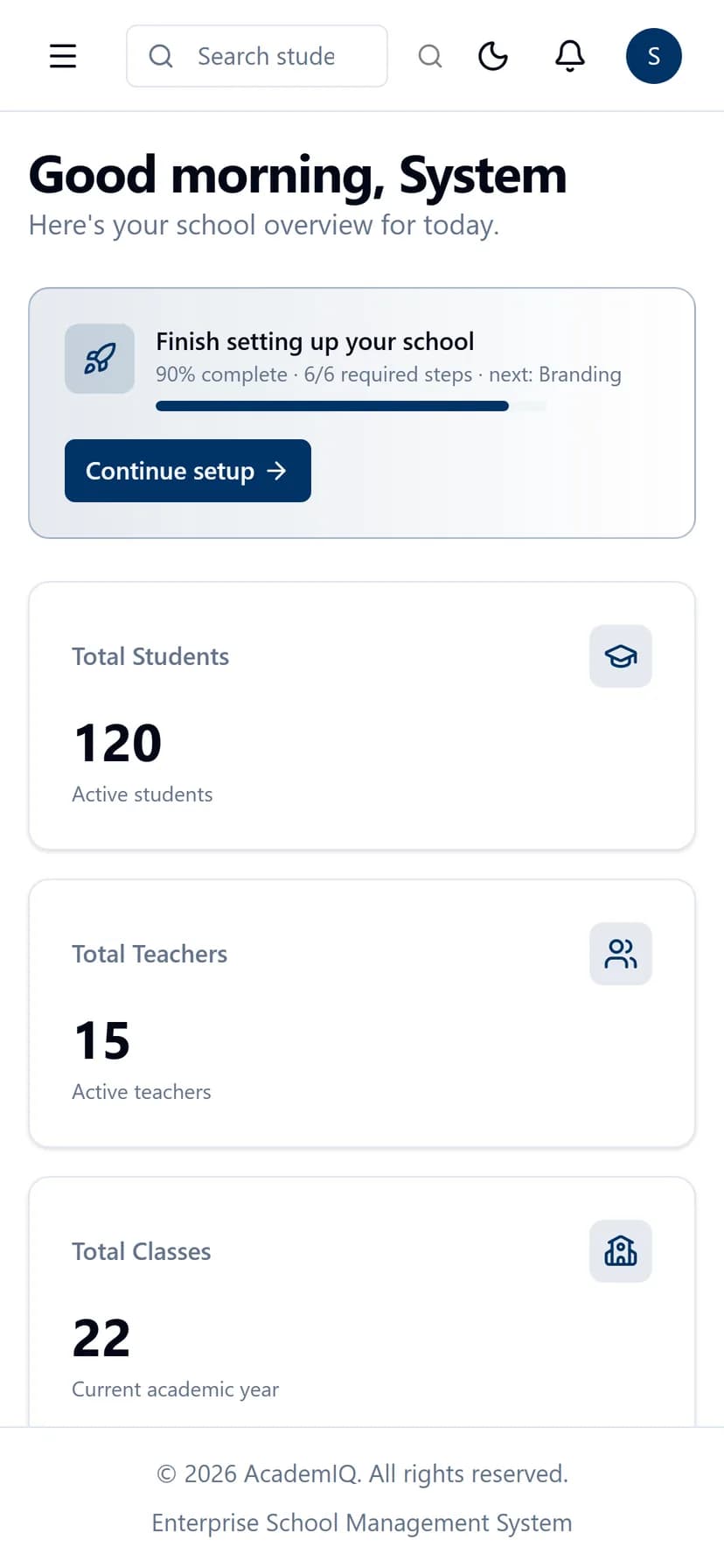
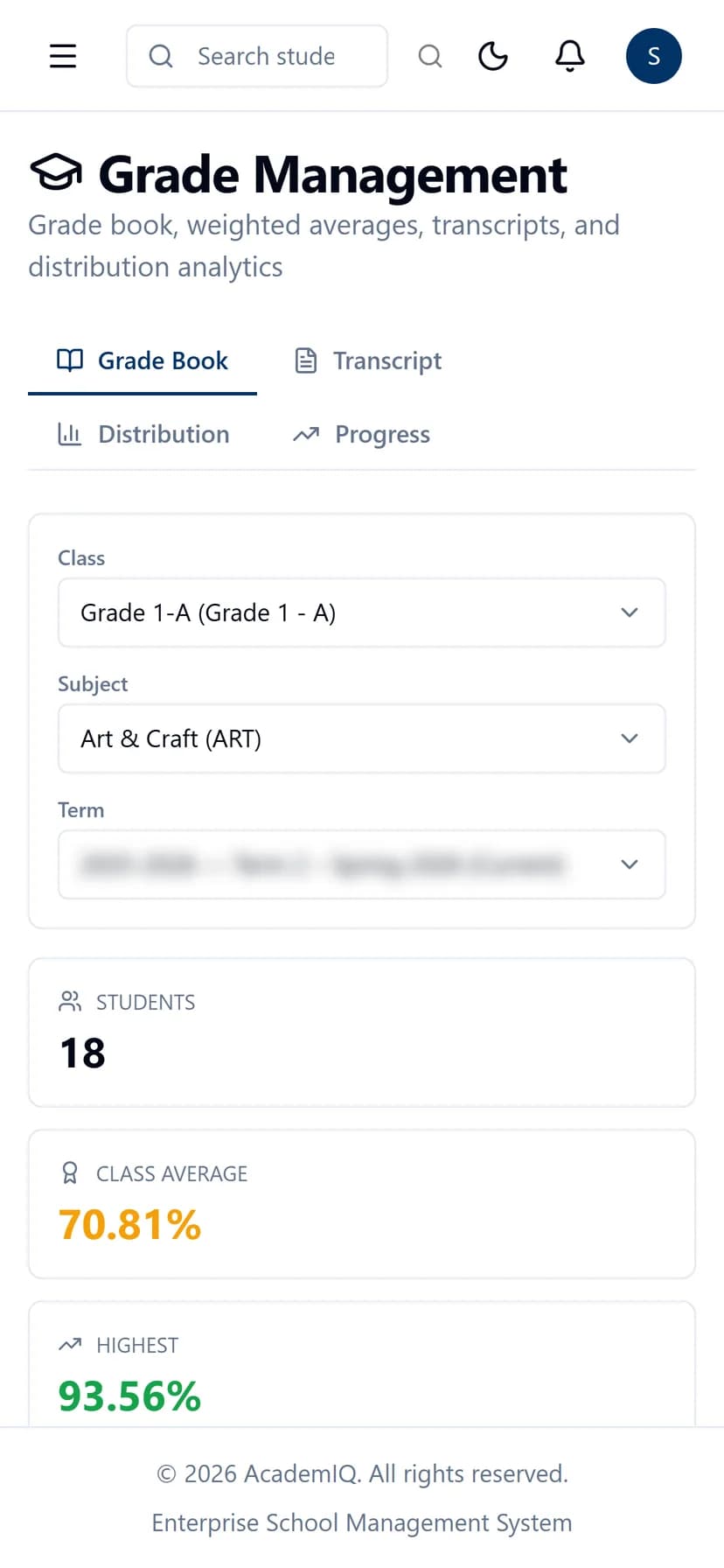
On the phone
The full school on any phone
Teachers mark the register between lessons. Parents check a result on the way home. It is the same AcademIQ on a phone as on a computer — nothing to install, nothing cut down.
- Opens in any phone browser
- Updates live — no refreshing
- Your currency and your academic calendar
Security
Student data, kept the way parents expect
Phone numbers, records and recordings are sensitive. Here is how AcademIQ looks after them, in plain words.
Your school stays yours
No other school using AcademIQ can reach your students — not by searching, guessing or accident.
Everyone sees only their part
A parent sees their own children; a teacher sees their own classes. You decide the rest, job by job.
Hard to break into
Passwords nobody can read back, accounts that lock after repeated wrong tries, and a phone check for staff who need one.
A record of who did what
A changed mark, a waived fee, a deleted record — each saved against the person and the time.
Getting started
From first call to first register
- Step 01
A demo call
About thirty minutes on the real software, following how your school works. At the end we give you a price.
- Step 02
Your own space
Your school is set up in its own separate space, with your branding, your address, your fee account and email in your name.
- Step 03
Guided setup
A step-by-step guide takes your administrator through classes, subjects, timetables, staff and existing student lists.
- Step 04
Live, with help on hand
You start with your data in and your staff invited. When you need help you reach the people who built it.
Book a demo
See AcademIQ running on your school’s terms.
Thirty minutes on the live system, driven by your workflows. Bring the awkward cases — the mid-year transfer, the sibling discount, the campus that does things differently.
- Thirty minutes, liveThe real software following how your school runs — not a slide deck.
- Single school or a groupWe show how campuses stay separate while you see them together.
- A price after the callBased on your size, your campuses and the parts you will actually use.
- Straight answers on safetyHow student data is kept separate, who sees what, and what happens if you leave.
Prefer email? Write to hello@invoxol.com and we'll reply with times.
Built and supported by invoXolQuestions
Questions people ask us
Is AcademIQ available in our country?
Yes. AcademIQ runs in the browser and is available to schools worldwide. Fee amounts follow your currency, academic sessions follow your calendar, and it speaks English, Arabic, Hindi and Chinese.
Can AcademIQ handle more than one campus?
Yes. Each campus gets its own settings, branding, students and fee account, kept completely apart — while whoever runs the group sees them all together.
Our records are in spreadsheets. Can we bring them across?
Yes. Upload your student and staff lists from a spreadsheet. If a row has a problem you are told which row and why, rather than the whole file being rejected.
What happens to our data if we leave?
You get all of it back, in full, in a format you can open and reuse. The process for leaving is written down and agreed in advance — nothing in the contract or the product is designed to make leaving difficult.
Is there a mobile app?
AcademIQ works fully on a phone through the browser — same features, same login, nothing cut down. There is no separate app-store app at present, and we would rather say so plainly.
Which languages are supported?
English, Arabic, Hindi and Chinese, with Arabic laid out right to left. Adding another language is a matter of translation rather than rebuilding, so ask if you need one.
Who makes it, and who do we call when something breaks?
invoXol designs, builds and runs AcademIQ. When you need help you reach the people who built it.
How much does it cost?
Schools differ so much in size, campuses and the modules they use that a printed price would be wrong for almost everyone. After a thirty-minute demo we give you a price for what you actually need.
Designed, built and run by invoXol.
AcademIQ is ours — not a resold platform. The people who answer your support email are the engineers who wrote it, and the same team builds custom software for clients across Canada, the USA and beyond.